In this tutorial, you will find out how to set up user groups on your file storage. There are just two simple steps: creating the group and linking users.
Many organisations need to have careful control over access to certain documents and information. As a result, setting permissions on file storage is often a priority. To make this as quick and easy as possible, the Jotelulu platform features a section that allows you to create user groups for your file storage.
How to create user groups on your file storage?
Before you begin
To successfully complete this tutorial, you will need:
-
- A file storage subscription on the Jotelulu platform. If you need more information about how to register for one, take a look at the tutorial entitled: How to Add File Storage.
-
- Registered users in order to create groups. Although there are various ways of registering users, this tutorial explains one of them: How to Register Users on Jotelulu
Step 1. Open the file storage subscription page
From the main dashboard, click on the top of the file storage card (1).
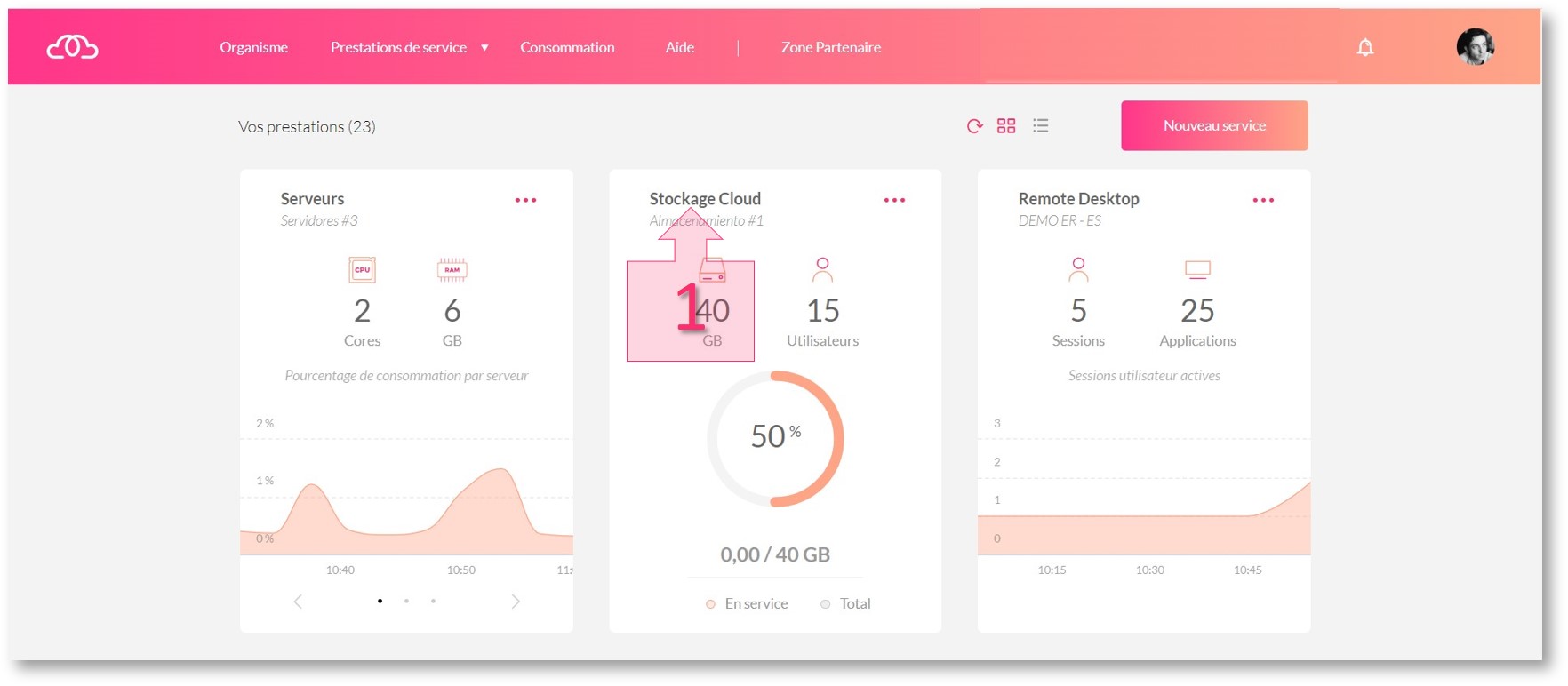
Step 1. Open the file storage subscription page from the main dashboard
Next, click on the Groups section (2) on the left-hand menu to begin creating a new group (3).
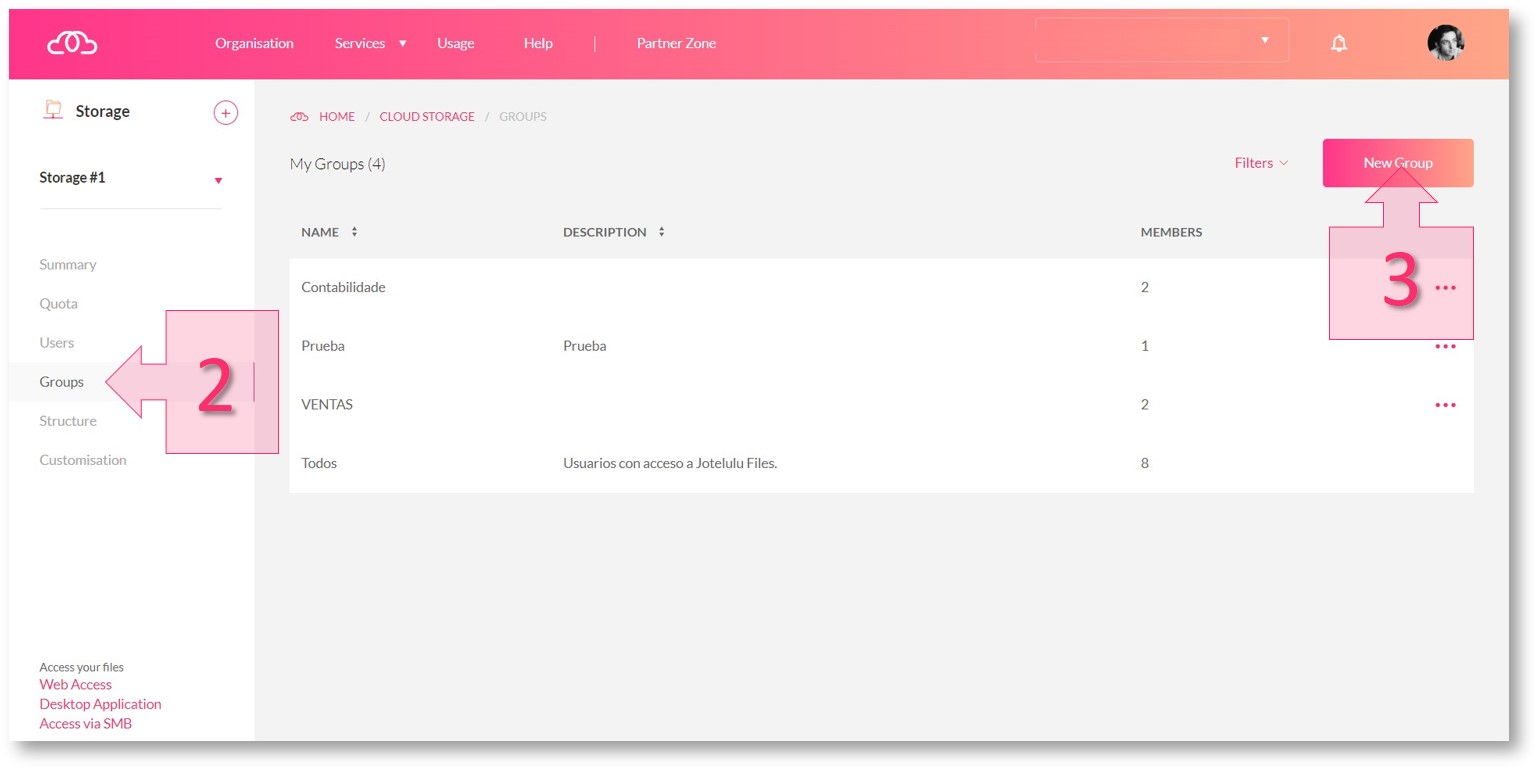
Step 1. Open the file storage subscription page from the main dashboard
Step 2. Create a group and link users
On the next screen, you will need to enter thename of the group (4), write a small description (5) and select the users (6) who will make up the group. Once you have done this, click the “Save” button (7).
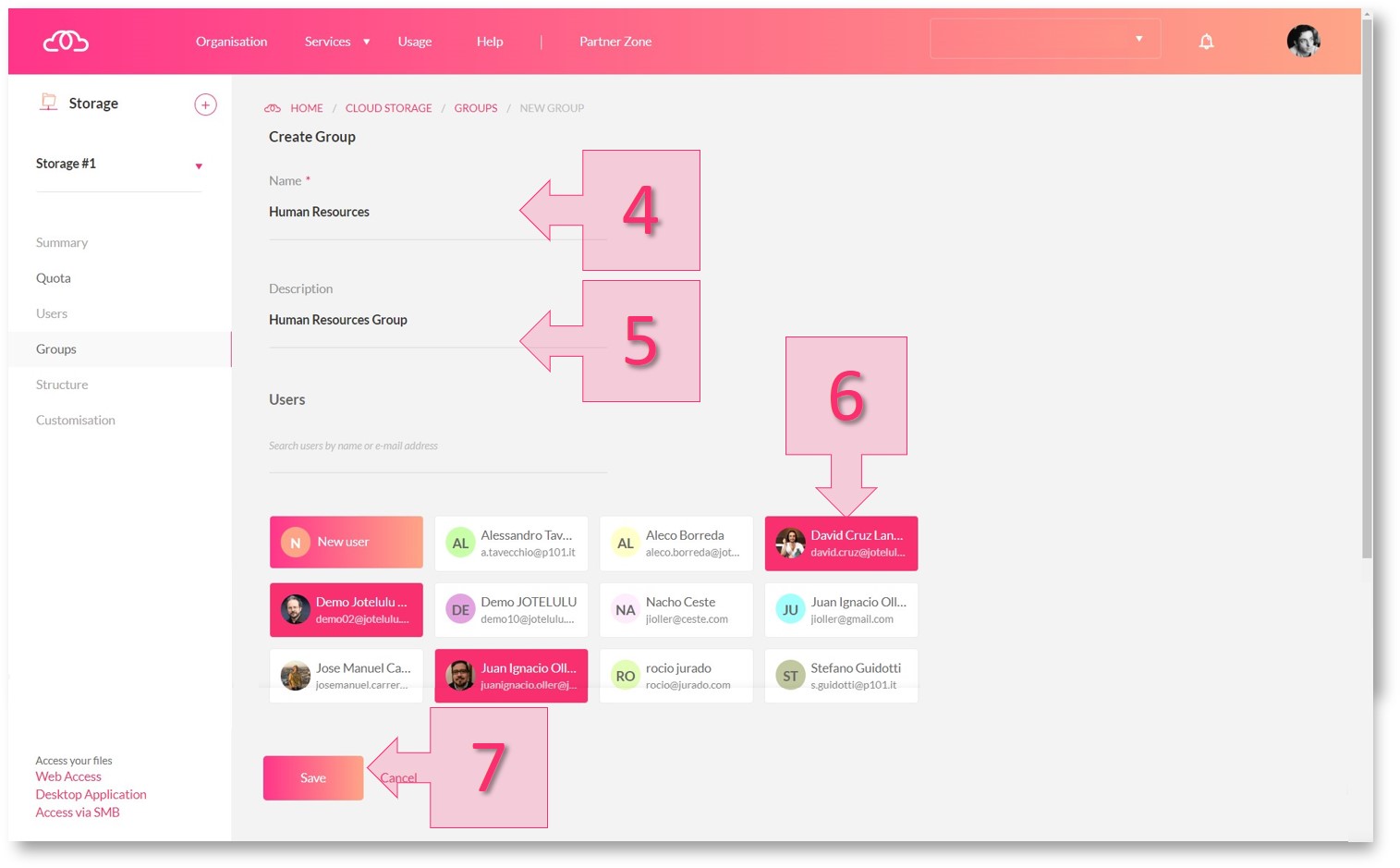
Step 2: Creating user groups on your file storage
Once saved, the new group will appear in the “My Groups” list. If you need to create another group, simply click on the “New Group” button (8) and repeat the process.
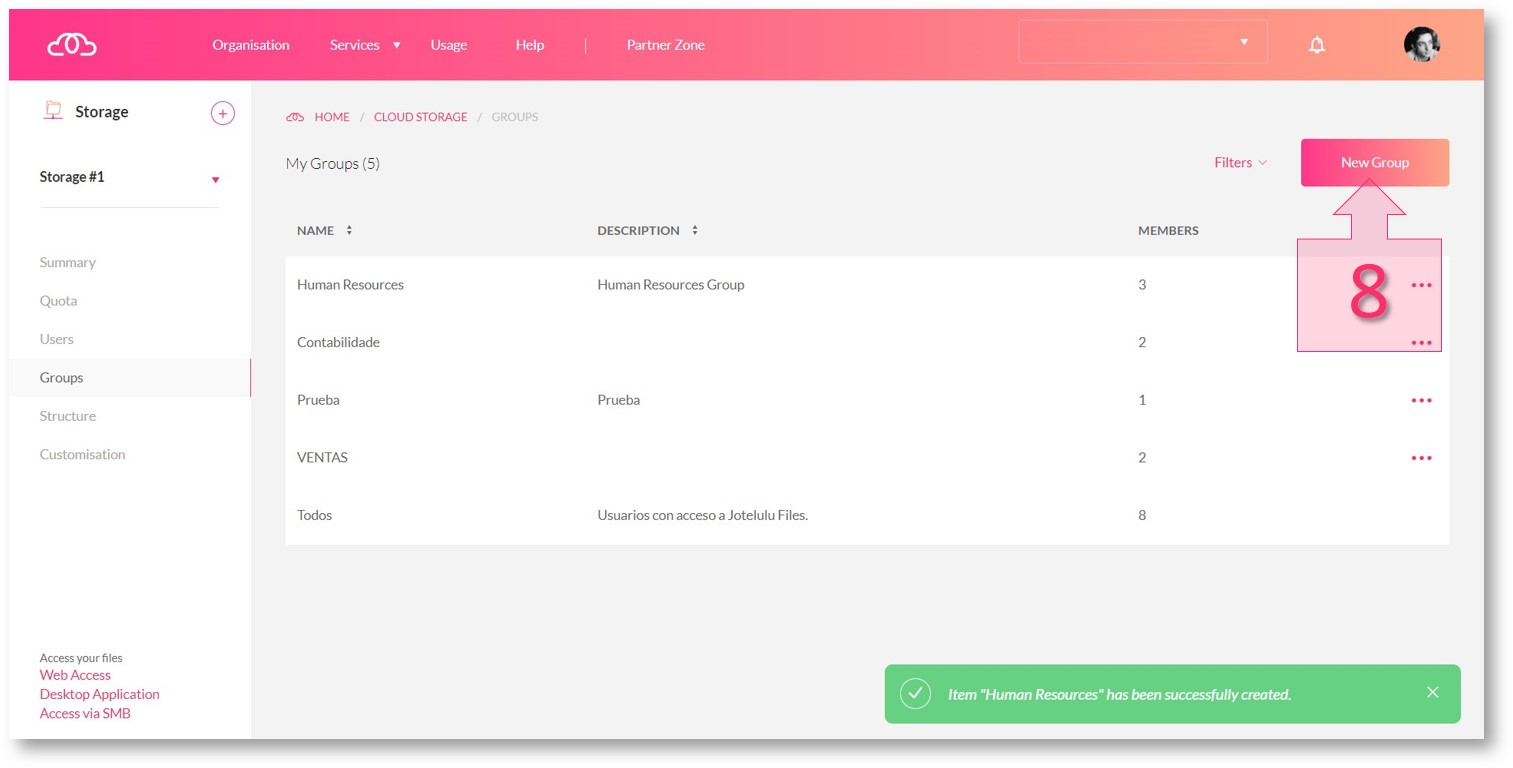
Step 2: Creating a new group on your file storage
Summary
User groups make it possible to assign permissions quickly with less margin for error. In this tutorial, you have learnt how to quickly create a user group for your file storage.
Now that you have created a user group, you might want to know more about how to set permissions. If so, the following tutorial may be of interest to you: How to Set Permissions on Your File Storage.
Glossary:
- Subscription: This is simply an administrative term in order to manage products. Creating a subscription establishes the contractual basis required to deploy a service. Unlike with other services, an organisation can only have one file storage subscription.
- User: Any individual registered on the platform.
- Group: A number of specifically selected users.

