Sysadmin
Discover how to show files sorted by size in GNU/Linux using a simple one-liner script you can reuse whenever needed.
This command helps identify the largest files in a filesystem that’s running out of space, so you can purge or relocate unnecessary files to free up space and prevent disk full conditions that could crash your system.
Since we’re in the GNU/Linux world, we’ll use native commands available on any system—no scripting languages like Python or Perl required.
How to show files sorted by size using GNU/Linux commands
The one-liner command is:
# du -a | sort -n -r | lessThis combines du and sort commands with pipes (pipelines) to process the output step by step.
du (Disk Usage) is a standard UNIX/Linux command for checking disk space usage. Its basic structure is:
# du [options] [file/system]du recursively scans the file structure, summing up space used by each file. The -a flag includes all files, not just directories.
NOTE: For more on du, see the manual page: du(1) – Linux manual page
The du -a output pipes to sort -n -r:
-n: Sorts numerically by value-r: Reverse order (largest first). Remove-rfor smallest first.
NOTE: For more on sort, see: sort(1) – Linux manual page
Finally, it pipes to less for paged viewing (use more if preferred):
# du -a | sort -n -r | moreOr save to a file for later review:
# du -a | sort -n -r >> filelist.txt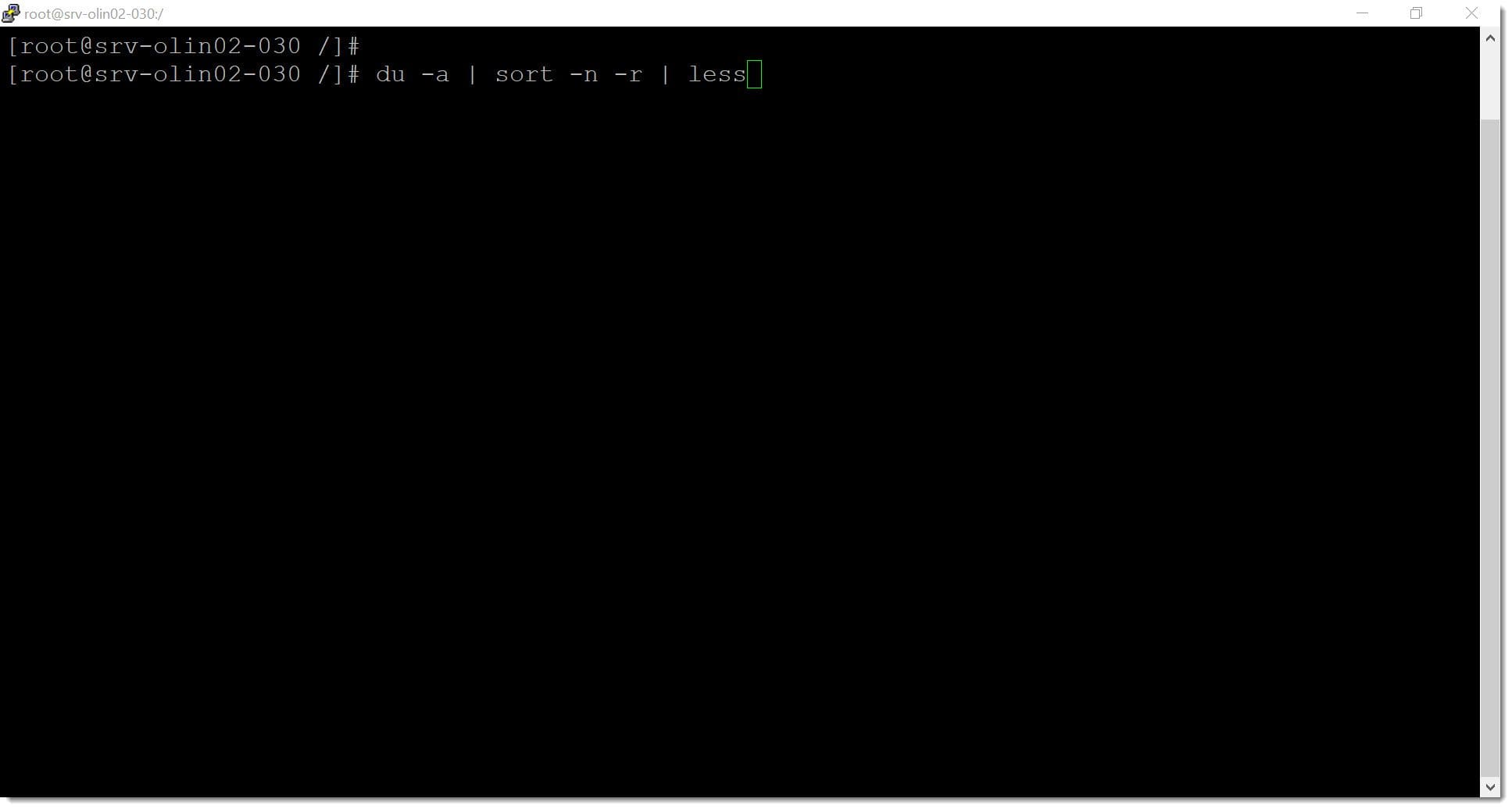
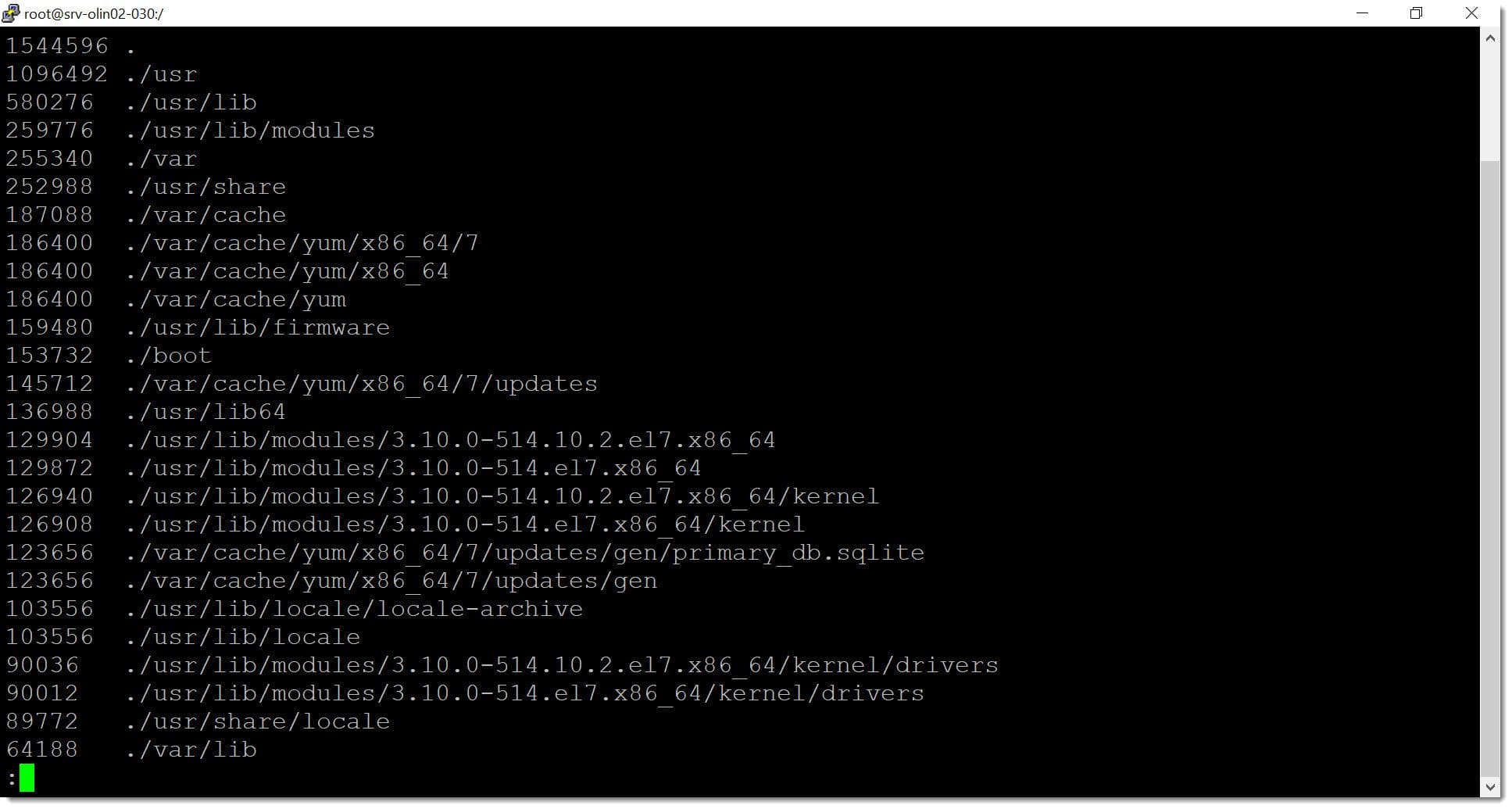
One-liner: Show files sorted by size in GNU/Linux
To list filesystem files sorted largest to smallest:
# du -a | sort -n -r | lessThat’s it—your complete one-liner script.
Conclusions
As shown in this how to show files sorted by size in GNU/Linux tutorial, a few well-chained commands provide critical disk usage insights to prevent filesystem full conditions. This is a quick troubleshooting workaround—implement disk quotas and filesystem monitoring for production environments.
The command works on all GNU/Linux systems. If you encounter issues, contact us—we’re happy to help.
Find more Linux tutorials on the Jotelulu blog.
Thanks for reading!

July 12, 2023
